

Traveling to the airport can sometimes be stressful, especially in a busy city like Delhi. If you are planning to fly out of Indira Gandhi International Airport, you might want to consider booking a taxi. A popular choice for a comfortable ride to the airport is the Maruti Suzuki WagonR. In this article, we will guide you on how to book a taxi from Delhi to Delhi Airport in a Maruti Suzuki WagonR.
The Maruti Suzuki WagonR is one of the most popular cars in India. Here are a few reasons why it is a good choice for your taxi ride:
1. Comfortable: The WagonR has a spacious interior, making it comfortable for both solo travelers and families.
2. Good Mileage: It is known for its fuel efficiency, which is beneficial for longer journeys.
3. Easily Available: Many taxi services use the WagonR, so you can easily find one in Delhi.
4. Affordable: Compared to other cars, the WagonR is usually cheaper, making it a budget-friendly option.
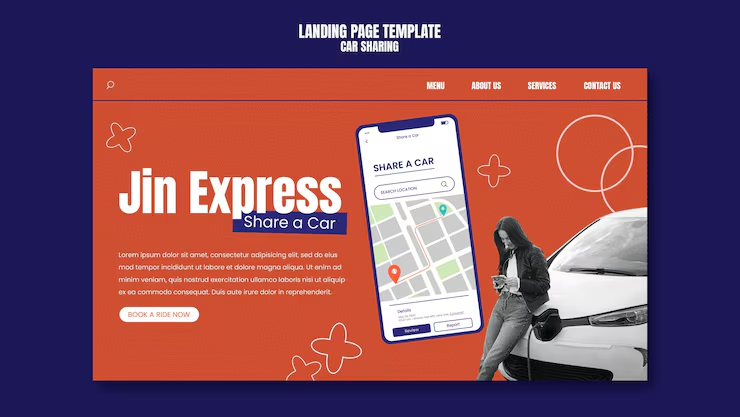
Booking a taxi from Delhi to Delhi Airport is quite simple. You can do it using a mobile app or by calling a taxi service. Here are the steps for both methods:
1. Download a Taxi App: There are many taxi booking apps available in India, such as Ola, Uber, and Meru. Download one of these apps from the Google Play Store or Apple App Store.
2. Create an Account: Open the app and create an account if you don’t have one already. You will need to provide your phone number and some basic details.
3. Enter Your Pickup Location: Once you are logged in, enter your current location (pickup point) in Delhi. This is where the taxi will come to pick you up.
4. Select Your Destination: Next, enter "Delhi Airport" as your destination. The app will show you the estimated fare and time for the ride.
5. Choose Your Car Type: Look for the option to select your car type. Choose "WagonR" or "Mini" if it is available.
6. Book Your Ride: After selecting the car, confirm your booking. The app will show you the details of the driver and the car.
7. Track Your Taxi: You can track your taxi in real-time on the app. This way, you will know when it will arrive.
8. Payment: You can pay through the app using a credit/debit card or choose to pay in cash at the end of your ride.
1. Find a Reliable Taxi Service: Search online for local taxi services in Delhi that offer the Maruti Suzuki WagonR. Some examples include Meru Cabs, Savaari, or local taxi operators.
2. Call the Service: Once you find a service, call their customer service number.
3. Provide Your Details: Tell them your pickup location, destination (Delhi Airport), and the type of car you want (WagonR).
4. Confirm the Booking: The operator will confirm the details and give you an estimated fare. Make sure to ask about any additional charges, like tolls or night surcharges.
5. Wait for the Taxi: The taxi will arrive at your pickup location at the scheduled time.
6. Payment: Similar to the app, you can pay in cash or through other payment methods, depending on the taxi service.

1. Book in Advance: It is always better to book your taxi at least a few hours before your flight. This gives you enough time in case of any delays.
2. Keep Your Bags Ready: Make sure your luggage is packed and ready to go to avoid any last-minute rush.
3. Stay in Touch with the Driver: If you have any trouble finding your taxi, don’t hesitate to call the driver to get directions.
4. Check Traffic Conditions: Delhi can be quite congested, especially during peak hours. Keep an eye on the traffic situation to ensure you leave on time.
5. Carry Important Documents: Don’t forget to carry your flight tickets and ID proof. You might need them at the airport.
Booking a taxi from Delhi to Delhi Airport in a Maruti Suzuki WagonR is a convenient and comfortable way to travel. Whether you choose to use a mobile app or call a taxi service, the process is straightforward. Just remember to plan ahead, and you will have a smooth journey to the airport. Safe travels!